28 July 2016

WHAT TO DO IF YOU'RE BORED THIS SUMMER!!

Hey guys!!! I'm so sorry for not posting! I've been busy & I will post more now! Anyways , Its summer for most of you!! Sometimes I don't know what to do.Here are some things to do virtually, and/or in real life! 

1. WOOZWORLD!

Who doesnt love Woozworld? You can troll on there, meet new friends, make units, and date VIRTUALLY lol. Add me✨😎 ZendayaColemanBuguv

2. BEACHHHH!!!!!

YASS! The beach is so lit! You get to swim, meet new friends, play in the sand, and of course, BE YOURSELF!!! :).

3. ACT!!

Oh gosh! "My parents are really overprotective so I cant really go anywhere Zen." This is a fun thing to do! Act like your on a famous tv show and just express yourself. Its better to play with your siblings. Preferably younger siblings. They tend to make the "show" more lit ✌πŸ’• and they listen... sometimes. Use your imagination.


4. LEMONADE STAND!!! 
Make a lemonade stand!!! Theyre reallllyyy easy to make (Tutorial coming soon). You can use that money to.....
5. GO TO AN AMUSEMENT PARK!
OMGG!!! I love parks!! You get to go on rides, eat, and have fun!!! 
Thats it for today. Thank you for reading and dont forget to check out our other posts! See you tomorrow!!! Bye! ;)

25 July 2016

WNS: Part 2

Hey guys! Before you start reading, I just want to say that I was visiting New York City so I didn't get the chance to post the update on WNS, sorry about that.

If you've been on Woozworld, two things have happened so far:
- The two other stars have been revealed
- The contest between other woozens has been revealed

Let's start with the two other stars! For Jenny's label (IndiZ), the labelled star is Myan Zalik, who is a spinoff of Zayn Malik! And for Jay's label, (BeatZ), the labelled star is Maxxi Minaz, who is a spinoff of Nicki Minaj!

Here are some pictures of our two stars:
Maxxi Minaz
Myan Zalik


For the second contest, you will get some quests in your quest journal explaining the rules. Basically, you will get the chance to join one of the four labels and you have to write your own song. You can submit your lyrics by clicking on the blue enlist podz at Central Plaza. Make sure to read the rules before entering!

And that's all for now, but I will be updating you guys soon on the latest WNS news!

See you around!


21 July 2016

New Outfits

Hi Woozens! I haven't had any inspiration lately so I will just be filling you in on the new outfits.


I don't really like any of the new girl outfits (Diamondiva and Queen Beatz) but I love the boy outfits! 10/10 for each!


That's all for now, until next time!


19 July 2016

Birthday Giveaway!

Hey guys! Since The Woozworld Voice just turned 4, we are giving away...

10K Beex! To enter, head to the giveaways page here and follow the steps. You have one week to enter - the clock is ticking...

The Woozworld Voice Co-Owners,

16 July 2016

How to Edit a Sign-Off Picture

Hey guys! It's Amy here and today I'll be teaching you how to edit a sign-off picture! Sorry for the inactivity. I haven't had any inspiration lately ;-;

So, let's get started with the first method!


1. You will need a basic editor like PiZap or Picmonkey. They can be accessed from the web so you don't need to download anything apart from your final product.


2. Save one of your Woozen photos to your computer. I'm going to use one with a background already because it's faster and there's no advanced editing happening.


Waking Up on a Good Day Like


3. Now open it in your editor! I'm going to be using PicMonkey because it looks cleaner than piZap, I'm just like that XD


4. Now add some text. It should have your Woozen Name and maybe a few sayings, depending on how you want it to be.


5. Liven it up a little by adding some overlays. (Overlays are in the butterfly icon)


(that's not my best work but I'm not really feeling that well so)


6. And save it to your computer! Done!


This is just a basic method of editing a sign-off picture but when you get better, you could make sign-off pictures like these: 


That's all for now! Bye!


13 July 2016

🐾 Jenny's Animal Quiz Answers 🐾

Hello, woozens! AnimeLegend here. As you may know, Jenny's Animal Quiz has been released once again this year! The last time it was released was around March, but this time the questions are COMPLETELY different! So today, I will be giving away the answers! Here they are:


Don't forget that you can win an awesome prize of 35 beex and 10 wooz!

Thanks for reading, and see you next time!

10 July 2016

I need your help!+ Acoustic Edit Tutorial

Hello, lovely. I'm back with a new post. However, this isn't a normal post.
In honor of WNS coming back I'm asking for help from the talented woozens who read the blog! I've been having some terrible art block and I need some fresh ideas for tutorials and how-to's. Message me on woozworld @LincolnWoooz (Mind the three o's).
Let's get started shall we?
Today i'll be teaching you a simple edit that's most appropriately categorized as "acoustic". You can choose any acoustic instrument, varying from electric guitars to ukuleles.(The speed edit video)
What you'll need:
  • Basic understanding of the pen tool   
  • Basic understanding of layers 
  •  An image of an acoustic image with a transparent background.
  • A picture of your woozen facing forward.
HOW TO DO IT 


This should be how your layers panel should look initially. Notice how I named each layer. You can name them whatever you want, just don't leave the names as "Layer-(number)".

09 July 2016

Update on Clothes in Store and Shopz

Hey guys! Its Amahix here with another post.Today I will show you some more fashion that has come in the Store. So this week Woozworld has put together some superstar outfits for all of the Woozens. Here are some of the outfits that they have put together for all of us Woozens:


Now here are some Clothes in shopz:


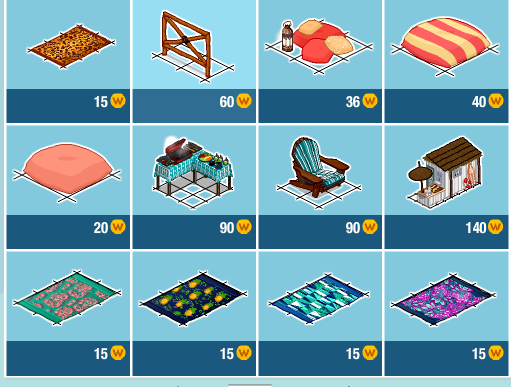
I hope you guys loved these outfits and furniture as much as I do. Be sure if u want any of these items that you get them right now before there gone. Ill see you next week with another fashion update. Ill see you next week. bye.


🎀 WNS 2016 IS HERE! 🎀

NOTE: Sorry for not posting in the past days! I went on a trip in Pennsylvania to visit some family for 4 days, and I couldn't bring my laptop. When we came back our internet went down. Sorry for the inconvinience. 

Hey, guys! AnimeLegend here. And as you may have noticed, WNS is back on Woozworld. And this year, they will be having 2 contests!

- The first contest is between the 4 music labels
- The second contest is between Woozens

For the first contest, all you have to do is vote for your favorite music label! Every member of the Woozband has a music label and its very own superstar

- Mya's label is called Diamond In The Wooz; she works with Jaynelle Woozae (spinoff from Janelle Monae)
- Max's label is called Mixzit!; he works with Skrillooz (spinoff from Skrillex)
- Jenny's label is called IndiZ; we don't know who she works with yet
- Jay's label is called BeatZ; we don't know who he works with yet

Here are some pictures of the two stars we met so far!

 Jaynelle Woozae                                  Skrillooz


And for the second contest, the details will be released on July 15th. All we know is that each label will be holding a young talent contest, where you will be able to show your singing talent. You can get the chance to be signed to one of the labels, and even maybe get the chance to become one of Woozworld's Next Superstars!

Thanks for reading this post! I'll get updated with more news about WNS! See you next time!


06 July 2016

Store Tutorial

Hey guys! I'm going to be doing a Store Tutorial this time.


1. Put in your mannequins in the direction you prefer.


2. Start decorating. Put in some carpets, flowers, all that stuff.


3. Now decorate the walls.


4. Put in some Shop Podz if you have a lot of stuff to sell.


5. Add a centrepiece and you're done!


I hope this helped!


04 July 2016

Introduction

Hi Everyone! It's Amy here and I have been accepted as an official blogger here on The Woozworld Voice! So I am going to introduce myself to you all in 10 sentences.


1. I've been on Woozworld for 5 years.

2. My favourite colour is BLUE!!

3. I have around 12 woozworld accounts. I use most of them for beex xD

4. I've been on many other blogs before and I used to run my own blog

5. I would say I'm not really a girly girl but not that much of a tomboy though my really good friends are boys.

6. I have 4 siblings. I hate them all. -_-

7. I'm on Woozworld quite a lot, but you may not see me around much now cause I mainly just mooch around making Unitz.

8. I think I'm quite mature. I don't say swear words.

9. I AM THE SKY QUEEN AND THE CHIEF WOOZEN-LIFE RUINER. THAT IS MY TITLE.

10. I rule.


So yeah, that's my Introduction post! Next is another Unitz Tutorial!


03 July 2016

4th of July Quiz Answers

Hey,

Happy Independence Day America!


Here are the answers of the 4th of July Quiz:

1. 50
2. George Washington
3. Bald Eagle
4. Drake
5. 2008
6. Baseball
7. Roosevelt
8. Alaska
9. The Star-Spangled Banner


Stay Awesome!
-Zack.

02 July 2016

I'm back! + Gradients 101

Hello, lovely reader. It's me, James. A few things have happened since i've left:

1.) I have a new account. You can add @LincolnWoooz on woozworld.
2.) I've learned a lot of new editing techniques that i'm eager to share with you guys.
3.) I have a youtube channel in which I post speed-edits: My Channel

That's a synopsis of what has happened since my "break". Now into the tutorial:
I'll be talking about gradients!
THESE ARE THE TYPES OF GRADIENTS:

The first gradient is called the "linear" gradient 
The second is called the "circular"-or radial- gradient
How to use them!
To use these gradients you'll need to have a basic understanding of the marquee tool. The marquee tool is a tool that draws out a shape in marching ants. These marching ants serve as a border to confine the gradient into said shape. Here's an example:
Now you can contain these in various shapes, it's all up to imagination. 
**HOW TO BLEND THESE GRADIENTS**
So blending gradients is actually REALLY simple. All you have to do is go into your filter file:
And select "Gaussian blur"
And this is what you're left with! Feel free to apply any of the blurs to your image in any way you feel suitable.


Until tomorrow, Lovely reader.